
- Shopify is the better choice for most sellers because it handles hosting, security, updates, and technical maintenance automatically. You focus on products and marketing, not server management. Best for beginners, non-technical founders, and anyone who values speed of setup over maximum customization.
- WooCommerce is the better choice for WordPress users, developers, and sellers who need maximum flexibility over design, functionality, and SEO configuration. You get more control but take on more responsibility for hosting, security, and maintenance.
- Total cost comparison: Shopify runs $39-105/month all-in for most stores. WooCommerce runs $20-100/month (hosting + plugins + security) but costs more in time and technical effort. The "free" plugin is misleading because the surrounding infrastructure isn't free.
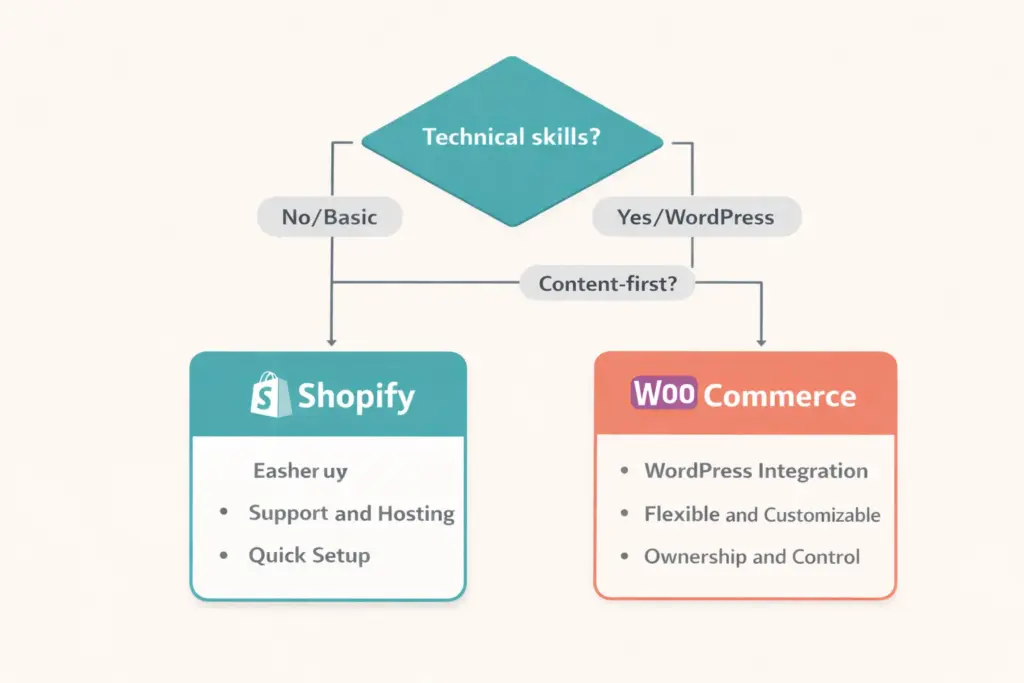
- The deciding factor isn't features (both platforms can do almost anything). It's whether you want a managed experience (Shopify) or a self-managed one (WooCommerce). That question alone answers the debate for 90% of sellers.
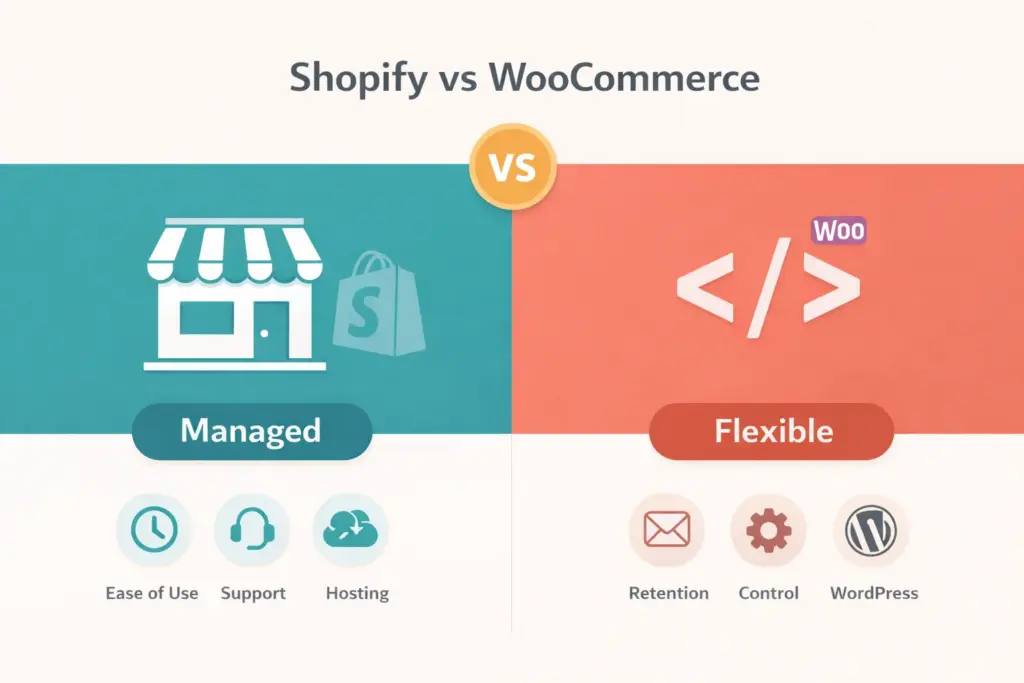
Shopify vs WooCommerce is the most common ecommerce platform debate because they represent fundamentally different approaches to selling online: Shopify is a fully hosted, all-in-one platform where everything works out of the box for a monthly fee, while WooCommerce is a free WordPress plugin that gives you maximum control but requires you to manage hosting, security, updates, and technical configuration yourself.
Neither platform is universally “better.” Shopify is better FOR certain sellers. WooCommerce is better FOR others. The right choice depends on your technical skills, budget structure preference (monthly fee vs. piecemeal costs), and how much control you need over your store’s infrastructure.
This comparison covers 10 factors that actually matter for the decision, with clear winners per category and an overall recommendation at the end. If you want the broader platform landscape including BigCommerce and Squarespace, see our full ecommerce platform comparison.
Quick Comparison: Shopify vs WooCommerce at a Glance
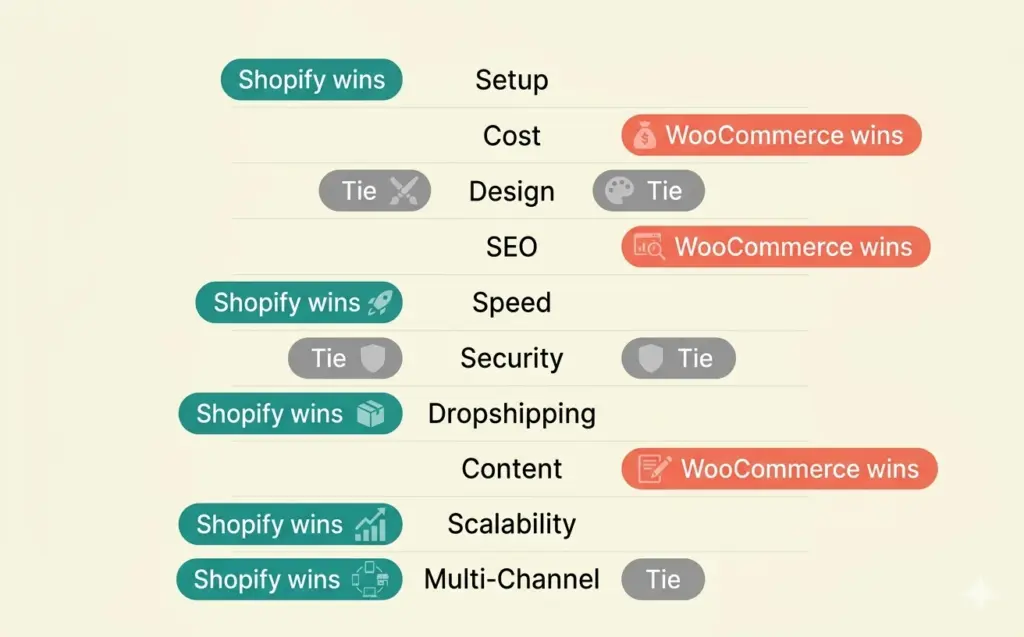
| Factor | Shopify | WooCommerce | Winner |
|---|---|---|---|
| Ease of setup | Hours (guided setup) | Days (hosting + config) | Shopify |
| Monthly cost | $39-399/mo (predictable) | $20-100/mo (variable) | Tie |
| Design flexibility | 200+ themes, limited code access | Unlimited (full code access) | WooCommerce |
| App/plugin ecosystem | 8,000+ apps | 59,000+ plugins | WooCommerce |
| SEO capabilities | Good (with apps) | Excellent (Rank Math/Yoast) | WooCommerce |
| Speed/performance | Fast (managed CDN) | Varies (hosting dependent) | Shopify |
| Security | Managed (PCI compliant) | Self-managed | Shopify |
| Dropshipping | 500+ supplier apps | 200+ plugins | Shopify |
| Scalability | Handles any volume | Needs hosting upgrades | Shopify |
| Content marketing | Basic blog | Full WordPress (best CMS) | WooCommerce |
Score: Shopify 5, WooCommerce 3, Tie 2. But scores don’t tell the full story. A content-first business where WooCommerce wins on the factors that matter most to them should choose WooCommerce despite the overall score. Read the details below.
1. Ease of Setup and Daily Use
Winner: Shopify
Shopify gets you from zero to live store in hours. Sign up at Shopify, pick a theme, add products, configure payments, launch. The admin dashboard is intuitive and guided. No technical decisions about hosting, SSL certificates, database configuration, or server security.
WooCommerce requires: choosing a hosting provider, installing WordPress, installing the WooCommerce plugin, selecting and configuring a theme, setting up SSL, installing security plugins, configuring caching for speed, and then adding products. Each step involves decisions that beginners find overwhelming.
For daily operations, Shopify’s admin is cleaner. WooCommerce’s WordPress dashboard has more menus, more settings, and more places things can go wrong. Shopify vs woocommerce for beginners isn’t even close. Shopify wins by a wide margin for anyone without WordPress experience.
2. True Cost Comparison
Winner: Tie (different cost structures)
The shopify vs woocommerce pricing debate is misleading because WooCommerce’s “free” plugin hides real costs.
| Cost Item | Shopify (Basic) | WooCommerce |
|---|---|---|
| Platform/hosting | $39/mo | $10-30/mo (hosting) |
| Domain | $14/yr | $12-15/yr |
| SSL certificate | Included | Usually included with hosting |
| Theme | $0-350 (one-time) | $0-80 (one-time) |
| Essential plugins/apps | $0-50/mo | $0-80/mo |
| Payment processing | 2.9% + $0.30 | 2.9% + $0.30 (Stripe) |
| Security | Included | $0-20/mo (Wordfence, etc.) |
| Backups | Included | $0-10/mo (UpdraftPlus, etc.) |
| Year 1 total (estimate) | $530-1,100 | $300-1,200 |
WooCommerce CAN be cheaper, but only if you choose budget hosting and free plugins. The moment you need premium hosting for speed ($30+/mo), paid plugins for functionality, and a developer for customization, WooCommerce often costs more than Shopify while requiring more of your time. Our startup costs guide breaks down the full picture.
3. Design and Customization
Winner: WooCommerce
WooCommerce gives you complete code access. Every pixel, every function, every user flow can be customized. With 59,000+ WordPress plugins and full PHP/CSS/JS access, there are genuinely zero limitations on what you can build.
Shopify has 200+ themes (13 free) and its Liquid template language allows significant customization, but you’re working within Shopify’s framework. Certain structural changes (URL patterns, checkout flow on non-Plus plans, core page architecture) can’t be modified. For most stores, Shopify’s customization is more than adequate. For stores that need truly custom experiences, WooCommerce is the only answer.
4. SEO Capabilities
Winner: WooCommerce
WordPress has been the world’s SEO-dominant CMS for two decades. With Rank Math or Yoast SEO installed, WooCommerce offers: fully customizable URLs (no forced prefixes), granular schema markup control, advanced meta tag management, XML sitemap configuration, and the best blogging platform on the web for content marketing.
Shopify’s SEO is good but has structural limitations: forced URL prefixes (/products/, /collections/), theme-dependent structured data, and app dependency for advanced SEO features. Our SEO platform comparison ranks WooCommerce’s ceiling above Shopify’s, though BigCommerce actually beats both for native SEO features.
Important nuance: a well-configured WooCommerce store outranks a well-configured Shopify store for the same keywords. But a poorly configured WooCommerce store (slow hosting, no caching, missing schema) performs WORSE than a default Shopify store. The SEO advantage requires technical competence to realize.
5. Performance and Speed
Winner: Shopify
Shopify serves every store from its global CDN with optimized infrastructure. You get consistent fast loading times without configuring anything. Every Shopify store benefits from the same enterprise-grade hosting.
WooCommerce speed depends entirely on your hosting choice, caching configuration, plugin count, and image optimization. A WooCommerce store on $5/month shared hosting is slow. The same store on $30/month managed WordPress hosting (Cloudways, Kinsta) matches or beats Shopify. You get what you pay for and configure.
6. Security and Maintenance
Winner: Shopify
Shopify is PCI DSS compliant out of the box. SSL, security patches, backups, uptime monitoring, and DDoS protection are all managed automatically. You never think about security because Shopify handles it.
WooCommerce security is your responsibility. You need to: keep WordPress core updated, keep plugins updated (outdated plugins are the #1 attack vector), install a security plugin (Wordfence, Sucuri), configure backups, and ensure your hosting includes SSL and firewall protection. A single missed update can create vulnerabilities.
7. Dropshipping and Supplier Integrations
Winner: Shopify
Shopify’s app store has 500+ dropshipping apps: DSers, Spocket, CJdropshipping, Printful, and hundreds more. One-click product imports, automated order forwarding, and tracking updates work natively. If you’re starting with dropshipping, Shopify’s ecosystem is unmatched.
WooCommerce has capable dropshipping plugins (AliDropship, Spocket, WooDropship), but the selection is smaller and setup requires more configuration. For our detailed dropshipping platform comparison, Shopify ranks #1 and WooCommerce #2.
8. Content Marketing and Blogging
Winner: WooCommerce
WooCommerce IS WordPress, the world’s most powerful content management system. Buying guides, comparison articles, tutorials, and educational content all benefit from WordPress’s mature editor, category/tag taxonomy, SEO plugins, and two decades of content-focused development.
Shopify has a blog, and it’s functional. But it lacks WordPress’s depth: limited post formatting options, no custom post types, basic category structure, and weaker SEO integration for content pages. For stores where content marketing drives 30%+ of revenue, WooCommerce’s WordPress advantage is significant.
9. Scalability
Winner: Shopify
Shopify handles traffic spikes, flash sales, and Black Friday volume without you touching anything. The infrastructure scales automatically. Shopify Plus (enterprise tier) powers brands doing $100M+ in annual revenue.
WooCommerce scales well on proper hosting, but YOU manage the scaling. Traffic spikes require hosting upgrades. Database optimization becomes necessary at 10,000+ products. High-traffic events need caching configuration and CDN setup. It’s all doable but requires technical attention that Shopify doesn’t.
10. Multi-Channel Selling
Winner: Shopify
Shopify natively integrates with Amazon, eBay, Facebook/Instagram Shop, TikTok Shop, Google Shopping, Walmart Marketplace, and Pinterest. Manage all channels from one admin dashboard. Inventory syncs across every channel automatically.
WooCommerce connects to the same channels but through individual plugins that each require separate configuration and sometimes separate subscriptions. The result is the same, but the setup effort and ongoing maintenance is higher.
Which Should You Choose?
Choose Shopify if:
- You’re a beginner with no WordPress or coding experience
- You want a predictable monthly cost with everything included
- Speed of setup matters (you want to sell this week, not next month)
- You’re dropshipping or selling on multiple channels
- You don’t want to manage hosting, security, or technical maintenance
Choose WooCommerce if:
- You already have a WordPress website or WordPress skills
- Content marketing and blogging are core to your strategy
- You need maximum design and functional customization
- You want the strongest possible SEO configuration
- You have developer access (in-house or hired) for setup and maintenance
- You prefer one-time costs over monthly subscriptions
Still not sure? Ask yourself one question: “Do I want to manage my store’s technology, or do I want someone else to?” If you want to manage it, WooCommerce. If you don’t, Shopify. That single answer is right for 90% of sellers deciding between these two platforms.
Frequently Asked Questions
Shopify is better for beginners, non-technical sellers, dropshippers, and anyone who wants a managed platform. WooCommerce is better for WordPress users, content-first businesses, and sellers who need maximum customization. Neither is universally better. The right choice depends on your skills, budget structure, and how much technical control you want.
Shopify costs $39-105/month predictably. WooCommerce costs $20-100/month depending on hosting, plugins, and security tools. WooCommerce can be cheaper on budget setups but often costs the same or more once you add quality hosting, premium plugins, and developer time. Shopify’s cost is money only. WooCommerce’s cost is money plus significant time.
Shopify is significantly better for beginners. Setup takes hours versus days, the admin is more intuitive, hosting and security are fully managed, and the guided onboarding walks you through every step. WooCommerce requires WordPress knowledge and comfort making technical decisions about hosting, plugins, and configuration.
WooCommerce has a higher SEO ceiling because WordPress offers fully customizable URLs, superior content tools, and granular control through Rank Math or Yoast SEO. Shopify has good SEO with limitations (forced URL prefixes, theme-dependent schema). However, a poorly configured WooCommerce store has worse SEO than a default Shopify store. The advantage requires competence.
Yes, both directions are possible. Shopify to WooCommerce requires exporting products via CSV and importing into WooCommerce, plus setting up 301 redirects for every URL. WooCommerce to Shopify works similarly. Both migrations carry temporary SEO risk from URL changes. Plan redirects carefully and expect 2-4 weeks of ranking fluctuation during migration.
Some sellers run a WooCommerce blog on a subdomain (blog.store.com) for content marketing while running their store on Shopify. This combines WordPress’s content strengths with Shopify’s ecommerce strengths. It adds complexity but eliminates the main weakness of each platform. This hybrid approach works best for content-heavy brands.
Related Reads
- Best Ecommerce Platform Comparison
- How to Sell on Shopify
- BigCommerce SEO Review
- Best Platform for SEO
- Best Platform for Dropshipping
- Squarespace Ecommerce Review
Enjoying this? Get more like it every week.
One email per week with ecommerce strategies, tool picks, and seller insights. No spam.