
Ecommerce technical seo is the practice of optimizing an online store’s infrastructure so search engines can efficiently crawl, index, and rank its product pages, category pages, and supporting content. It covers everything beneath the surface of your site: how URLs are structured, how fast pages load, how duplicate content from filters and variants is handled, and whether your product data is properly communicated to Google through structured markup.
Think of technical SEO as your store’s plumbing. Nobody sees it when it works. Everyone notices when it breaks. A store with beautiful product pages and great content will still underperform in search if Google can’t crawl it efficiently, if page speed is slow, or if thousands of duplicate filter URLs are diluting your authority.
This checklist builds on our ecommerce SEO complete guide by going deep on the technical pillar. If you haven’t read that overview yet, start there for the full strategy context, then come back here for the implementation details.
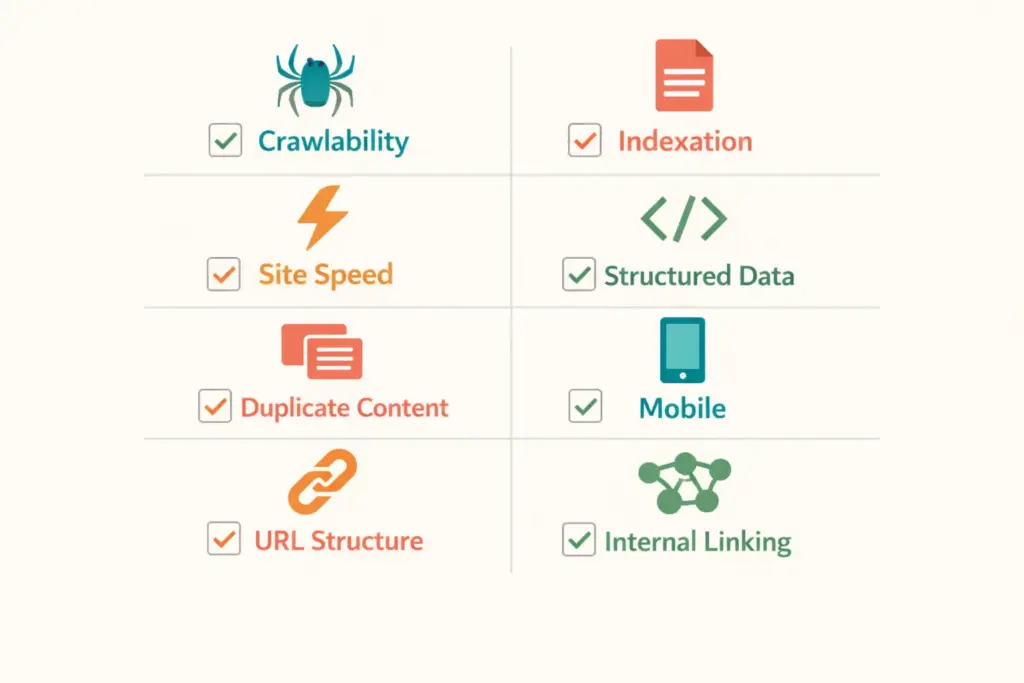
1. Crawlability: Can Google Find Your Pages?
Google uses crawl bots to discover and read your pages. If they can’t reach a page, it can’t rank. For stores with 500+ products, crawl efficiency becomes critical because Google allocates a limited “crawl budget” to each site.
What to Check
- XML sitemap. Does it exist, is it submitted in Google Search Console, and does it include all product and category URLs? Sitemaps should auto-update when you add or remove products.
- Robots.txt. Are you accidentally blocking important pages? Check for overly broad disallow rules that prevent crawling of product or category directories.
- Crawl errors. In Search Console under Pages, check for “Crawled – currently not indexed” and “Discovered – currently not indexed.” These indicate pages Google found but chose not to index, often due to thin content or duplicate signals.
- Internal link depth. Every product should be reachable within 3-4 clicks from the homepage. Products buried 5+ clicks deep get crawled less frequently and rank worse.
How to Fix Common Issues
If important products aren’t being indexed, check that they’re linked from category pages, included in the sitemap, and not accidentally blocked by robots.txt or noindex tags. For large catalogs (5,000+ products), consider creating HTML sitemaps that link to all category pages, ensuring every product is reachable through at least one category.
2. Indexation: Is Google Storing Your Pages?
Crawling and indexing are different steps. Google might crawl a page but decide not to index it if the content is too thin, duplicated, or low-quality.
What to Check
- Index coverage. In Search Console, compare the number of indexed pages to your total product count. If you have 1,000 products but only 400 indexed pages, 60% of your catalog is invisible to Google.
- Noindex tags. Run a crawl with Screaming Frog (free up to 500 URLs) and filter for pages with noindex directives. Common culprit: CMS settings that accidentally noindex entire sections.
- Thin content pages. Products with only a title, price, and one-line description often get flagged as thin content. Google may crawl them but refuse to index.
How to Fix
Add unique descriptions of 100+ words to every product page. Include specifications, use cases, sizing information, and FAQ content. For products that genuinely don’t need individual indexing (minor variants of the same item), use canonical tags pointing to the main product page rather than letting Google decide.
3. Site Speed and Core Web Vitals
Page speed directly impacts both rankings and conversion rates. Google’s Core Web Vitals measure three things:
| Metric | What It Measures | Good Score | Poor Score |
|---|---|---|---|
| LCP (Largest Contentful Paint) | How fast the main content loads | Under 2.5s | Over 4.0s |
| INP (Interaction to Next Paint) | How fast the page responds to clicks | Under 200ms | Over 500ms |
| CLS (Cumulative Layout Shift) | How much the page layout shifts during load | Under 0.1 | Over 0.25 |
Common Ecommerce Speed Killers
Unoptimized product images. The number one issue. A single uncompressed hero image can add 2-3 seconds to load time. Use WebP or AVIF format, lazy-load images below the fold, and serve appropriately sized images (don’t load a 4000px image for a 400px display slot).
Too many apps and plugins. Each Shopify app or WordPress plugin adds JavaScript and CSS that loads on every page. Audit your installed apps quarterly and remove any you’re not actively using. A store with 20 apps runs noticeably slower than one with 8.
Third-party scripts. Chat widgets, analytics tools, review apps, and social proof popups all add external scripts. Each one makes an HTTP request that blocks page rendering. Prioritize which scripts load immediately versus which can load after the page is interactive.
Run your homepage and one product page through PageSpeed Insights. Target 70+ on mobile. If you’re below 50, speed optimization should be your first technical SEO priority before anything else on this list.
4. Structured Data (Product Schema)
Structured data tells Google exactly what your product pages contain: name, price, availability, reviews, shipping info. This data powers rich results in search, the star ratings, price displays, and “In Stock” labels that dramatically increase click-through rates.
Required Product Schema Properties
- Product name, description, and image URL
- Offer: price, currency, availability (InStock, OutOfStock, PreOrder)
- AggregateRating: review count and average score (if you have reviews)
- Brand name
- SKU or product identifier (GTIN, MPN)
Most ecommerce platforms add basic Product schema automatically, but many miss important properties. Validate your markup using Google’s Rich Results Test tool. Missing the Offer or AggregateRating properties means you’re leaving rich result visibility on the table.
Beyond Product schema, implement BreadcrumbList schema on all pages and FAQPage schema on pages with FAQ sections. These additional schema types earn more SERP real estate and help Google understand your site structure.
5. Duplicate Content Management
This is the most complex ecommerce technical seo challenge and the one most stores handle poorly. Online stores generate duplicates from multiple sources:
Faceted navigation and filters. When customers filter by size, color, price, or brand, many platforms create a new URL for each filter combination. A category with 5 sizes, 8 colors, and 4 brands can generate 160+ unique URLs that all show similar product listings. This dilutes your category page authority across hundreds of thin pages.
Solution: Use robots.txt to block filter parameter URLs from crawling, or add noindex tags to filtered pages. Keep your main category URL as the only indexable version. On Shopify, filter URLs are typically handled well by default. On WooCommerce, you need a plugin or manual configuration.
Product variants. A t-shirt in 6 colors might create 6 nearly identical product pages. Each page has the same description with only the color name changed.
Solution: Use canonical tags pointing all variant pages to the main product page. Or better, use a single product page with variant selection (most modern ecommerce platforms handle this natively).
Pagination. Category pages with 200 products split across 20 paginated pages can create indexation confusion.
Solution: Use self-referencing canonical tags on each paginated page. Don’t noindex paginated pages because products only accessible through later pages won’t get crawled.
6. Mobile Optimization
Google uses mobile-first indexing, meaning it evaluates your mobile site version for rankings, not desktop. Over 60% of ecommerce traffic comes from mobile devices.
Key checks: All product images render correctly on mobile. Tap targets (buttons, links) are at least 48×48 pixels with adequate spacing. Text is readable without zooming (16px minimum body font). The full checkout flow works on mobile without horizontal scrolling. Product filters and navigation menus work on touchscreens.
Test your store on actual phones, not just browser dev tools. What looks fine in Chrome’s mobile simulator can break on a real iPhone SE screen. Your web design choices directly determine mobile SEO performance.
7. URL Structure
Clean, descriptive URLs help both users and search engines understand page content.
Good ecommerce URLs:
/womens-running-shoes/(category)/womens-running-shoes/nike-air-zoom-pegasus-41/(product)
Bad ecommerce URLs:
/category?id=47&sort=price&page=3/product/SKU-48291-BLK-M
Include relevant keywords in URLs. Keep them short (under 75 characters). Use hyphens, not underscores. Avoid parameters in indexable URLs. If your platform generates ugly URLs by default, configure URL rewrites or choose a platform with better native URL handling.
8. Internal Linking Architecture
Internal links distribute authority across your site and help Google discover pages. For ecommerce, strategic internal linking connects:
- Category pages to subcategories (Women’s Shoes > Running Shoes > Trail Running Shoes)
- Product pages to related products (“Customers also bought” sections)
- Blog content to relevant product/category pages (buying guide links to the products it discusses)
- Product pages back to their parent category (via breadcrumbs)
The most common internal linking mistake in ecommerce is orphaned products: items that exist in the catalog but aren’t linked from any category page, blog post, or navigation element. Run a crawl to find orphaned pages and link them into your site structure. Our tools guide covers crawling tools for this purpose.
The Ecommerce Technical SEO Audit Process
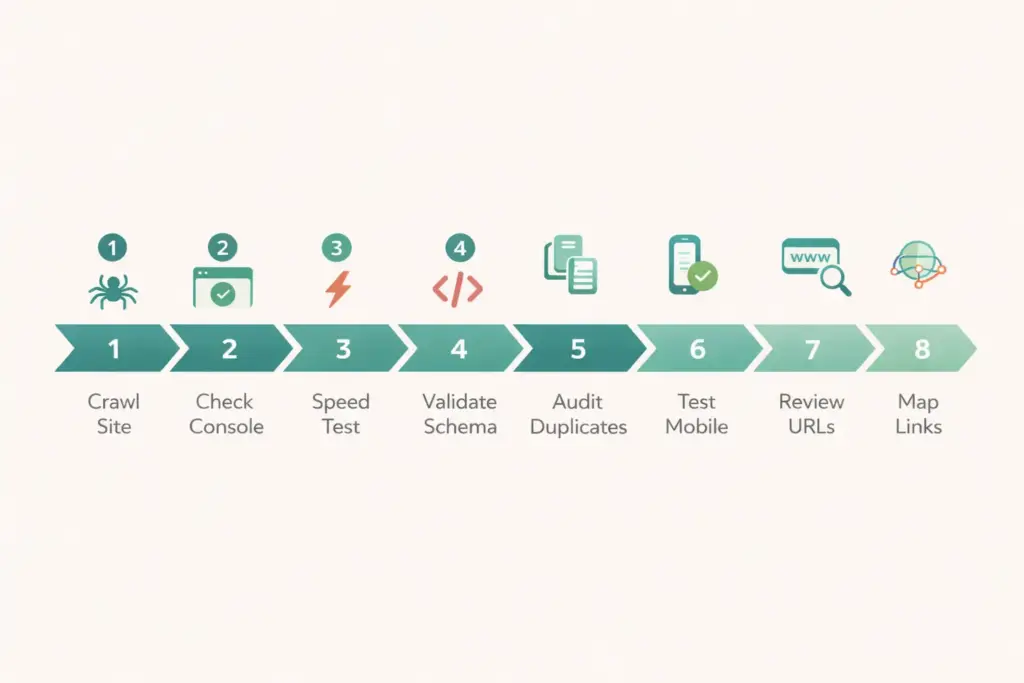
Here’s the recommended order for running your audit:
- Crawl your site with Screaming Frog or Sitebulb. Export the full URL list with status codes, titles, canonical tags, and schema data.
- Check Search Console for crawl errors, indexation gaps, and Core Web Vitals issues.
- Run PageSpeed Insights on homepage, one category page, and one product page. Note the scores and specific recommendations.
- Validate structured data using Google’s Rich Results Test on 5 representative product pages.
- Audit for duplicates by checking canonical tags, filter URLs, and variant page handling.
- Test mobile on 2+ real devices through the complete shopping flow.
- Review URL structure for keyword inclusion, length, and parameter handling.
- Map internal links to find orphaned pages and weak link paths.
This audit takes 2-4 hours for a store with under 1,000 products. For larger catalogs, consider ecommerce technical seo services from a specialized agency that has enterprise crawling tools and experience with large-scale fixes. Your budget planning should include SEO tool costs ($0-199/month depending on catalog size).
Frequently Asked Questions
What is ecommerce technical seo and why does it matter?
Ecommerce technical seo is the optimization of an online store’s infrastructure for search engine crawling, indexing, and ranking. It covers site speed, structured data, crawlability, duplicate content handling, mobile optimization, and URL structure. It matters because technical issues prevent Google from properly discovering and ranking your product pages, regardless of how good your content is.
How is ecommerce technical seo different from regular technical seo?
Ecommerce stores face unique challenges: faceted navigation creating thousands of duplicate URLs, product variants generating thin content pages, large catalogs exhausting crawl budget, dynamic pricing and stock levels changing cached pages, and Product schema requirements for rich results. Regular blogs and service sites don’t deal with these issues at scale.
How often should I run an ecommerce technical seo audit?
Run a full audit quarterly. Monitor key metrics (crawl errors, indexation, Core Web Vitals) monthly through Google Search Console. After any major site change, such as platform migration, theme update, new app installation, or large catalog additions, run an immediate audit to catch issues before they impact rankings.
What tools do I need for ecommerce technical seo?
Free tools that cover most needs: Google Search Console (crawl monitoring, indexation), Google PageSpeed Insights (speed and Core Web Vitals), Screaming Frog free version (crawl up to 500 URLs), and Google Rich Results Test (schema validation). Paid tools for larger stores: Screaming Frog license ($259/year), Ahrefs or SEMrush ($99-199/month), and Sitebulb ($13.50/month).
Should I hire ecommerce technical seo services or do it myself?
DIY works for stores under 1,000 products using standard platforms like Shopify or WooCommerce. The checklist above covers everything you need. Hire ecommerce technical seo services when your catalog exceeds 5,000 products, when you’re migrating platforms, when Core Web Vitals are consistently failing, or when indexation issues persist despite your fixes.
What’s the most common ecommerce technical seo mistake?
Unmanaged faceted navigation is the most common and damaging issue. Filters creating thousands of indexable URLs dilute your category page authority and waste crawl budget. The fix is blocking filter URLs from crawling via robots.txt or adding noindex directives, while keeping your clean category URLs as the only indexable versions.
Related Reads
- Ecommerce SEO Complete Guide
- Ecommerce Customer Retention Strategies
- Ecommerce Web Design Guide
- Best Ecommerce Platform Comparison
- Ecommerce Tools and Tech Stack
- Ecommerce Storefront Launch Checklist
Enjoying this? Get more like it every week.
One email per week with ecommerce strategies, tool picks, and seller insights. No spam.