
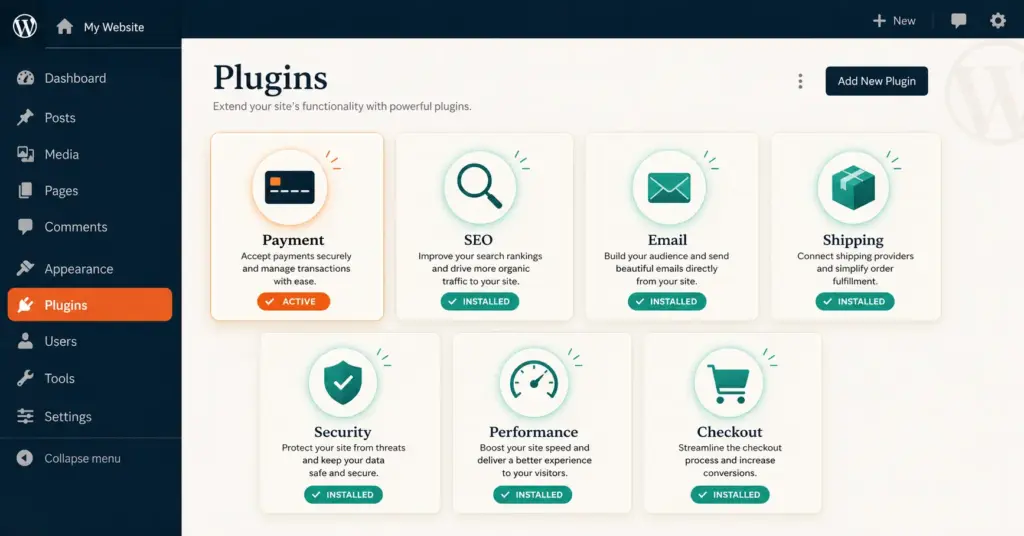
- The best WooCommerce plugins extend WordPress into a full ecommerce platform across payments, SEO, email marketing, shipping, security, and performance. WooCommerce's plugin architecture means you build a custom stack rather than accepting a fixed feature set like Shopify.
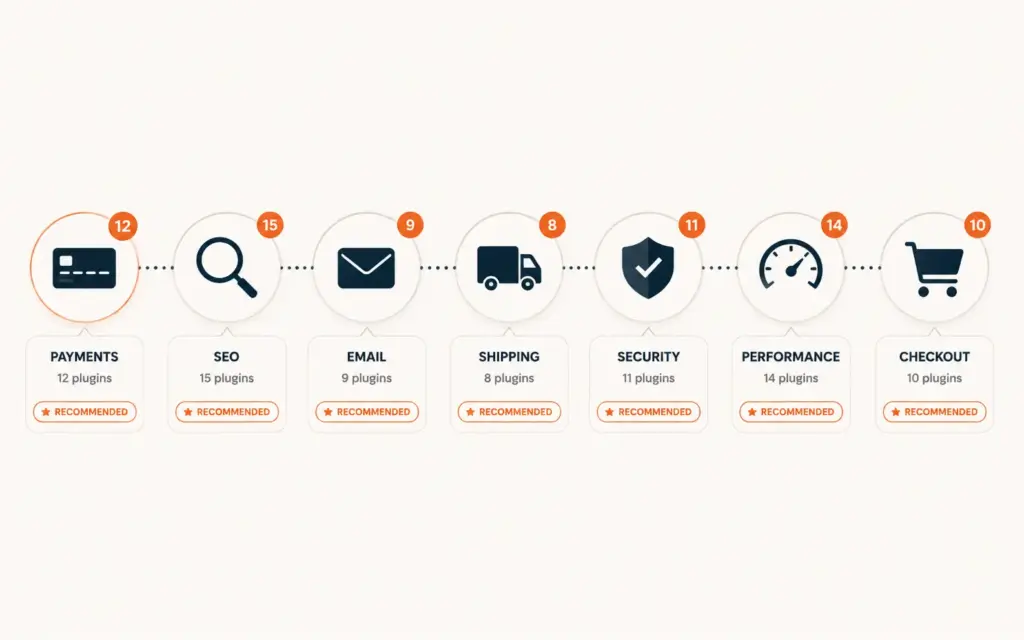
- The 20 essential plugins fall into 7 categories: payments (WooCommerce Payments, Stripe), SEO (Yoast, Rank Math), email (Klaviyo, Mailchimp), shipping (WooCommerce Shipping, ShipStation), security (Wordfence, Sucuri), performance (WP Rocket, Imagify), and checkout optimization (CartFlows, FunnelKit).
- Plugin bloat is the single biggest WooCommerce performance risk. Every plugin adds database queries, CSS, and JavaScript that slow page load. Target under 25 active plugins total and audit quarterly for unused or redundant extensions.
- Free plugins cover 70% of needs for stores under $10k/month. Premium plugins ($50 to $200/year each) become worthwhile above $10k/month when the features they unlock generate measurable revenue or save measurable time.
The best WooCommerce plugins transform a basic WordPress installation into a competitive ecommerce platform that rivals Shopify, BigCommerce, and dedicated SaaS solutions. WooCommerce powers 36% of all online stores globally, and its open-source plugin architecture is both its greatest strength and biggest risk. The right 15 to 20 plugins create a custom-fit tech stack that matches your exact business needs. The wrong 40+ plugins create a slow, unstable, security-vulnerable site that costs more to maintain than a SaaS platform would. According to WooCommerce’s developer documentation, plugin selection and management is the single most important factor in store performance and security.
This guide covers the 20 essential WooCommerce plugins organized by function, when free plugins are sufficient versus when premium upgrades justify the cost, the plugin management practices that prevent performance degradation, and the plugins to avoid despite their popularity. For platform comparison context, see our Shopify vs WooCommerce comparison.
What Are the Must-Have WooCommerce Plugins?
Payment plugins
1. WooCommerce Payments (Free). Stripe-powered payment processing built by the WooCommerce team. Accepts credit cards, Apple Pay, Google Pay, and local payment methods. No redirect to external checkout. Dashboard shows deposits and payment history. The default choice for most stores because it’s free, maintained by Automattic, and deeply integrated. Processing fees: 2.9% + $0.30 per transaction.
2. Stripe for WooCommerce (Free). Direct Stripe integration if you need features beyond WooCommerce Payments: Stripe Radar for fraud prevention, advanced subscription billing, or multi-currency support. Use this instead of WooCommerce Payments if you already have a Stripe account with negotiated rates below standard pricing.
3. PayPal for WooCommerce (Free). PayPal checkout as a secondary payment option. 15 to 20% of online shoppers prefer PayPal, especially for first-time purchases from unfamiliar stores. The trust signal alone lifts conversion 3 to 5% for newer brands. For payment strategy depth, see our payment gateway setup guide.
SEO plugins
4. Rank Math SEO (Free, Premium $59/year). The most feature-complete SEO plugin for WooCommerce. Free version covers title tags, meta descriptions, XML sitemaps, schema markup (including Product schema), and redirect management. Premium adds keyword tracking, advanced schema, and content AI. Replaced Yoast as the recommended choice for most WooCommerce stores due to better performance and more features in the free tier.
5. Yoast SEO (Free, Premium $99/year). The established SEO plugin with a larger user base and longer track record. Free version covers basics. Premium adds internal linking suggestions, social previews, and redirect manager. Choose Yoast if your team is already familiar with it; choose Rank Math for new installations. For SEO strategy depth, see our ecommerce technical SEO guide.
Email marketing plugins
6. Klaviyo for WooCommerce (Free integration, paid email plans). The industry standard for ecommerce email and SMS. WooCommerce integration syncs customer data, purchase history, and browsing behavior for segmented automations. Welcome series, abandoned cart, post-purchase, and win-back flows all configure through Klaviyo’s visual builder. Free for up to 250 contacts. For email strategy, see our email marketing strategy guide.
7. Mailchimp for WooCommerce (Free integration). Budget alternative to Klaviyo with a generous free tier (500 contacts, 1,000 sends/month). Weaker ecommerce segmentation than Klaviyo but sufficient for stores under 1,000 subscribers. Good starting point that most stores outgrow between $10k and $25k monthly revenue.
Shipping and fulfillment plugins
8. WooCommerce Shipping (Free). Print USPS and DHL shipping labels directly from the WooCommerce dashboard at discounted rates. Covers domestic US shipping for most small stores. Limited to USPS and DHL; no UPS or FedEx integration.
9. ShipStation for WooCommerce ($25+/month). Multi-carrier rate shopping, batch label printing, and automated shipping rules. Connects USPS, UPS, FedEx, and DHL for automatic cheapest-rate selection per package. Essential above 200 orders/month when single-carrier shipping leaves money on the table. For shipping strategy, see our shipping strategies guide.
10. WooCommerce Table Rate Shipping ($99/year). Create complex shipping rate tables based on weight, destination, item count, or cart total. Necessary for stores with variable shipping costs that flat-rate or free-shipping-only can’t accommodate.
Security plugins
11. Wordfence Security (Free, Premium $119/year). Firewall, malware scanner, login security, and real-time threat intelligence. The free version covers 95% of security needs for most WooCommerce stores. Premium adds real-time firewall rules and country blocking. Install on every WooCommerce site without exception.
12. UpdraftPlus (Free, Premium $70/year). Automated backups to Google Drive, Dropbox, Amazon S3, or remote storage. Free version handles scheduled full-site backups. Premium adds incremental backups, migration tools, and multisite support. Backups save you when a plugin update breaks your site or a security incident requires restoration.
Performance plugins
13. WP Rocket ($59/year). The best caching and performance optimization plugin for WooCommerce. Page caching, browser caching, GZIP compression, lazy loading, CSS/JS minification in a single plugin. WP Rocket correctly excludes cart and checkout pages from caching (a critical detail that generic caching plugins often miss, breaking checkout functionality). Site speed directly impacts conversion: every 1 second of additional load time costs roughly 7% in conversion.
14. Imagify (Free, $9.99+/month). Automatic image compression on upload. Reduces image file sizes 60 to 80% without visible quality loss. Critical for product-heavy stores where uncompressed images are the primary page load bottleneck. Free tier covers 20MB/month; paid plans scale with image volume.
Checkout and conversion plugins
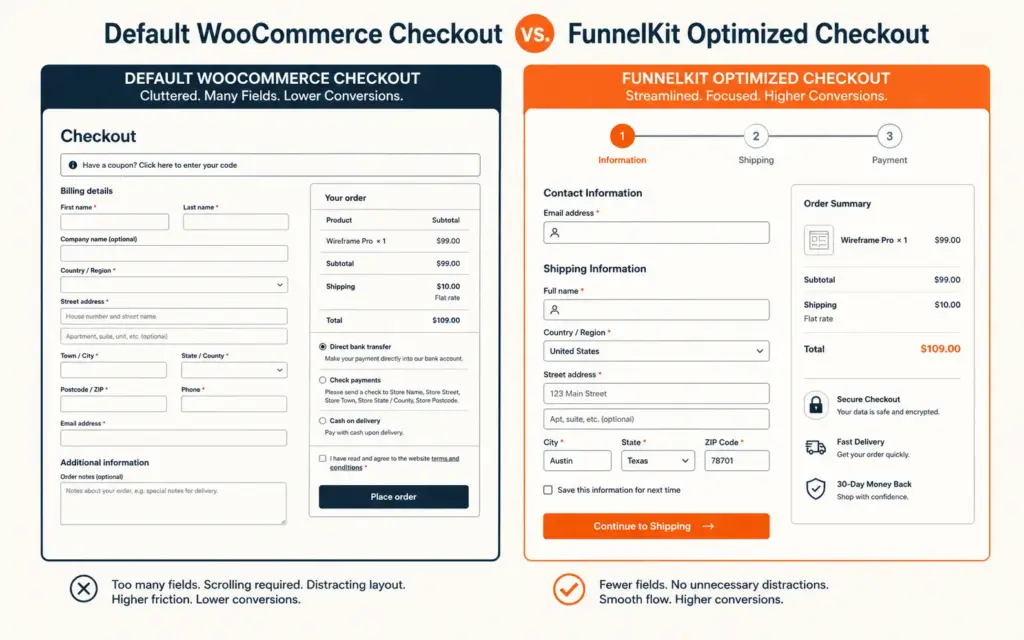
15. FunnelKit (formerly WooFunnels, $99+/year). Custom checkout pages, order bumps, one-click upsells, and sales funnels. Replaces WooCommerce’s default checkout with conversion-optimized templates. Stores using FunnelKit report 10 to 25% higher checkout completion. For checkout depth, see our checkout optimization guide.
16. WooCommerce Product Add-Ons (Free/$49/year). Adds custom fields to product pages: personalization text, gift wrapping options, special instructions. Essential for stores selling customizable or personalized products.
Analytics and tracking plugins
17. Google Analytics for WooCommerce (Free by WooCommerce). Official GA4 integration that automatically sends ecommerce events (view_item, add_to_cart, begin_checkout, purchase) to Google Analytics. Required for any store using GA4. For GA4 setup depth, see our GA4 ecommerce setup guide.
18. Facebook for WooCommerce (Free). Meta Pixel and Conversions API integration. Syncs product catalog for dynamic ads. Essential for stores running Meta advertising. For Meta ads strategy, see our Facebook ads ecommerce guide.
Product and catalog plugins
19. WPML or TranslatePress ($39+/year). Multi-language support for international stores. WPML is more feature-complete; TranslatePress is easier to use. Only install if you actively sell in multiple languages. For international strategy, see our selling internationally guide.
20. WooCommerce Product Bundles ($49/year). Create product bundles with dynamic pricing. “Buy 2 get 15% off” or curated bundle pages. Lifts AOV 10 to 20% when bundles combine complementary products. For pricing and discount strategy, see our discount strategy guide.
How Many WooCommerce Plugins Should I Install?
Target under 25 active plugins total. Each plugin adds database queries, CSS files, JavaScript files, and HTTP requests that slow page load. According to WordPress developer best practices, plugin quality matters more than quantity, but every active plugin is a potential performance drain, security vulnerability, and update maintenance requirement.
The quarterly plugin audit
- List all active plugins with their last update date, active installs, and rating
- Deactivate and delete any plugin not used in 30+ days
- Consolidate overlapping plugins: if you have separate plugins for caching, image optimization, and minification, consider WP Rocket which handles all three
- Check for abandoned plugins: any plugin not updated in 12+ months is a security risk. Find a maintained alternative
- Run speed test before and after: use Google PageSpeed Insights to measure the impact of deactivating suspect plugins
Common WooCommerce Plugin Mistakes
Installing plugins for features you don’t need yet
A loyalty program plugin on a store with 50 customers. A subscription plugin with no subscription products. An advanced analytics tool on a store with 20 daily visitors. Each unused plugin adds load time, update maintenance, and security surface area. Install plugins when you have the problem they solve, not before.
Using free plugins with poor code quality
A free plugin with 200 installs and no updates in 18 months is a liability. Check the WordPress plugin directory for: 10,000+ active installs, updated within the past 3 months, 4+ star rating, and responsive developer support in the forums. The free tier of a well-maintained plugin is always better than a free abandoned plugin.
Not testing updates before applying
Plugin updates can break WooCommerce functionality. Use a staging environment (most managed WordPress hosts provide one) to test plugin updates before applying to your live store. Never update plugins on your production site during peak traffic hours or right before a major promotion.
Running conflicting plugins
Two SEO plugins (Yoast + Rank Math), two caching plugins (WP Rocket + W3 Total Cache), or two security plugins (Wordfence + iThemes) create conflicts, duplicate functionality, and performance degradation. One plugin per category is the rule. For broader tech stack architecture, see our ecommerce tech stack guide.
Frequently Asked Questions
Every WooCommerce store needs plugins for: payments (WooCommerce Payments or Stripe), SEO (Rank Math or Yoast), security (Wordfence), backups (UpdraftPlus), performance (WP Rocket), analytics (Google Analytics for WooCommerce), and email marketing (Klaviyo or Mailchimp). These 7 plugins form the minimum viable stack. Add shipping (ShipStation), checkout optimization (FunnelKit), and image compression (Imagify) as revenue justifies the cost.
Target under 25 active plugins. Above 30, performance degradation becomes measurable. Each plugin adds database queries, CSS, JavaScript, and HTTP requests. Quality matters more than quantity: 15 well-coded plugins outperform 10 poorly coded ones. Audit quarterly by deactivating unused plugins, consolidating overlapping functionality, and speed-testing before and after changes.
Free plugins cover 70% of needs for stores under $10k/month revenue. WooCommerce Payments, Rank Math free, Wordfence free, UpdraftPlus free, and Google Analytics for WooCommerce are all free and production-grade. Premium upgrades ($50 to $200/year each) become worthwhile above $10k/month when advanced features generate measurable revenue or save measurable team time.
Rank Math is the recommended choice for new WooCommerce installations because its free version includes features that Yoast charges for (advanced schema, redirect manager, keyword tracking). Yoast remains a solid choice if your team is already familiar with it. Both handle core SEO functions (meta tags, sitemaps, content analysis) well. Avoid installing both simultaneously as they create conflicts.
WP Rocket ($59/year) handles page caching, browser caching, CSS/JS minification, and lazy loading in one plugin. It correctly excludes WooCommerce cart and checkout pages from caching. Imagify compresses product images 60 to 80% without quality loss. Together these two plugins typically improve page load time 40 to 60%. Avoid stacking multiple caching plugins as they conflict with each other.
WooCommerce Payments is built on Stripe and offers identical processing rates (2.9% + $0.30). Choose WooCommerce Payments for simplicity: it’s maintained by the WooCommerce team, manages everything from the WordPress dashboard, and requires no separate Stripe account. Choose direct Stripe if you need Stripe Radar fraud tools, have negotiated custom Stripe rates, need advanced subscription billing, or use Stripe across multiple platforms beyond WooCommerce.
Related Reads
- Shopify vs WooCommerce Comparison
- Ecommerce Tech Stack Guide
- Ecommerce Technical SEO
- Email Marketing Strategy
- Checkout Optimization
- GA4 Ecommerce Setup
Enjoying this? Get more like it every week.
One email per week with ecommerce strategies, tool picks, and seller insights. No spam.